- For faces over mice's heads, see Emoji.
Mice can perform various emotes, also known as actions, to visually show their attitude. Most are performed by pressing the icons on the user interface (located to the right of your mouse), but some can also be performed by using chat commands, C, or consumables.
There are two types of emotes: single and interactive.
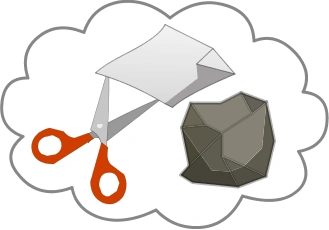
Single emotes consist of dance, laugh, cry, kiss, angry, clap, sleep, confetti and flag wave. Interactive emotes consist of high five, hug, kissing and rock paper scissors. Interactive emotes are animations that require another mouse to do the same emote in order for it to work. When using an interactive emote, a bubble with said emote will show next to your mouse. When another mouse uses the same emote within a certain threshold, it will trigger the actual emote.
Originally, dance, laugh, and cry were the only emotes available, but new emotes were added later.
Capturing the cheese while doing an emote will end the emote.
Ignoring a player hides their café messages, letters, emotes and emojis.
Traditional emotes
| Icon | Name | Emote | Description |
|---|---|---|---|
 |
Dance |  |
Pressing this button causes your mouse to move left and right. |
 |
Laugh |  |
Pressing this button causes your mouse to point and laugh. It is often used to laugh at a shaman's mistake, to troll, or to laugh when someone else is crying. |
 |
Cry |  |
Pressing this button causes your mouse to continuously cry. |
 |
Kiss |  |
Using this emote causes your mouse to blow a kiss/heart in the direction they're facing. |
 |
Angry |  |
Pressing this causes your mouse to get angry, and stomp on the ground. |
 |
Clap |  |
Pressing this causes your mouse to clap. |
 |
Sleep |  |
Pressing this causes your mouse to lay down and nap. |
 |
Facepaw |  |
Pressing this causes your mouse to facepalm, or simply cover its face with one paw. |
 |
Sit |  |
Pressing this causes your mouse to sit down. You can also sit down by clicking on a seat. |
 |
Confetti |  |
Pressing this causes your mouse to throw confetti. The amount and colors of the confetti are random. During Easter 2015 and Halloween events, confetti was replaced with candy (see Gallery).
Pressing the C key or ⇧ Shift + E will also trigger the emote. It was introduced on 17 February 2012 (V1.28) for the Carnival 2012 event.
|



Interactive emotes
| Icon | Name | Emote | Description |
|---|---|---|---|
 |
High five |   |
Pressing this causes you to raise a paw, when another mouse presses this it will cause both mice to high-five.
If a mouse starts the high five emote, but no one answers it within 6 seconds, a sweat drop It was introduced as part of the Astrological 2016 event. |
 |
Hug |   |
Hugs a nearby mouse. Introduced as part of the Hugging 2016 event. |
 |
Kissing |   |
Kiss a nearby mouse. Introduced as part of the Valentine's Day 2016 event. |
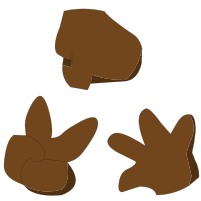 |
Rock paper scissors |    |
Pressing this allows for you to play rock paper scissors with another mouse. It was introduced in V1.301.
|


Other emotes
| Name | Emote | Description |
|---|---|---|
| Flag |  |
Waves flag of specified country when using /f chat command |
| Marshmallow |  |
Click on a campfire to hold a stick with a marshmallow 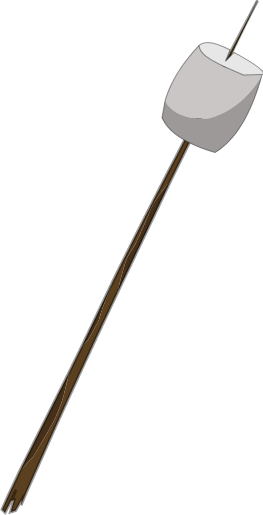
|
| Selfie |  |
Use  to take a selfie to take a selfie
|
| Partyhorn |  |
Use  to blow on a party horn to blow on a party horn
|
| Jigglypuff |  |
Use  to sing to sing   at a microphone at a microphone
|
| Carnival |  |
Use  to perform a Samba carnival dance to perform a Samba carnival dance
|
| Zelda | 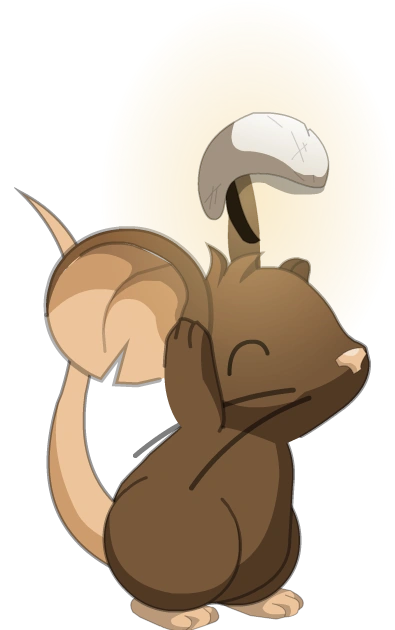
|
Get a shop item |
| Broom |   |
Play map 666 from Halloween 2010 Play the Flappy Mouse map in Halloween events since 2015 |
| Gift |  |
Give a present to another player in Christmas 2010 (also other Christmas events) Gift a shop item to another player |
| Attack |  |
Attack skeletons, ghosts and the skeleton cat in Halloween events |
| Throw a snowball |  |
Duck when snowing (previously) Use 
|
| Fish |  |
Fish in Fishing maps |


Trivia
- Dance (chat commands /dance or /danse) was added on 29 July 2010 (V0.49), laugh (/laugh or /rire) and cry (/cry or /pleurer) on 13 August 2010 (V0.55), and kiss (/kiss or /bisou) on 16 September 2010 (V0.83). The chat commands were later removed. Angry, clap, sleep and facepaw were added on 5 July 2011 (V0.164).
- For the 4th Anniversary enigma, doing the emote sequence "confetti, dance, confetti, clap, kiss" awarded a badge
 .
. - For a while, there were no confetti and sit buttons. The only way to use confetti was to use E and sit was to click on a couch or chair decoration.
- Flag waving was added on 11 June 2014 (V1.165), the day before the 2014 FIFA World Cup in Brazil.
- The high five emote was added on 1 January 2016 (V1.276b) for Astrological 2016. Before this addition, all emotes fit in the UI, but with high five making a total of 9,
 replaced the sit emote, and pressing the plus will show both the sit and high five emote icons as well as any additional emotes. The sweat drop
  was added to the high five emote on 7 January 2016 (V1.277b). The hug emote was added on 22 January 2016 (V1.281) for Hugging 2016. The thought bubble was added to the high five and hug emotes on the same day. The rock-paper-scissors emote was added on 8 April 2016 (V1.301).
 - High five was the first interactive emote.
- If a mouse stands still while trying to high five and no mice join in, after some time a drop of sweat will roll over the mouse's face.
- Typing in an invalid code for a country flag (/f) will show your mouse waving a stick without a flag.
- One of the differences between dancing and flag waving is dancing has open eyes whereas flag waving has closed eyes.
- Multiple shaman skills can trigger an emote on nearby mice if the shaman uses a certain emote (while having the skill unlocked).
- Since 3 March 2022 (V1.689), ignoring a player hides their emotes.


Gallery


