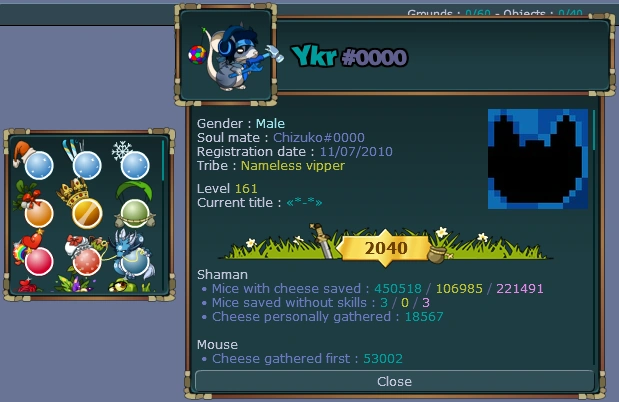

A profile after the adventure points update
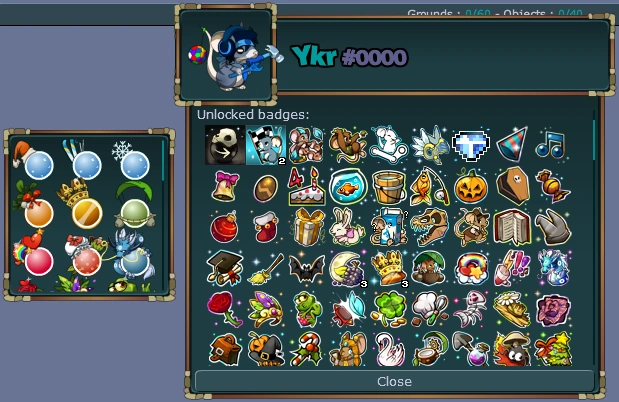

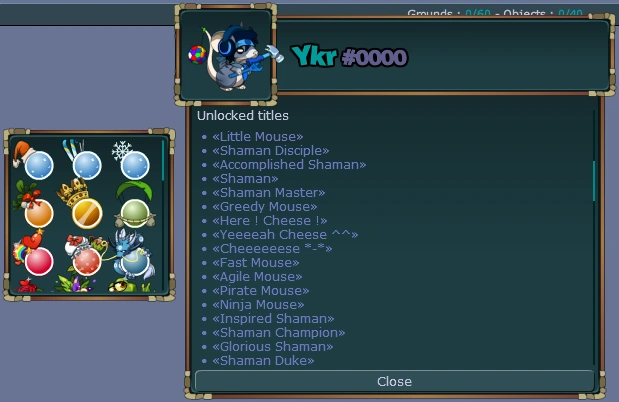

A profile is used to see information about players. It displays important stats of the specific player. Some people use players' profiles to make assumptions on how "pro" players are at Transformice.
You can see your own profile by clicking the  small picture of your mouse on the interface. You can view the profile of others by choosing the "Profile" option on the drop-down that appears when you click on their username, or by using the
 /profile *username* chat command.
Info
The info presented on a player's profile are:
Avatar


Default in-game avatar


Avatar shown when previous avatar was removed by a sentinel


Avatar in the game files
A custom avatar (picture), can be set through your forum profile. The image must be less than 512KB. Previously, the requirement was less than 30kb, or 100x100.
More information on where this can be found and how to change it can be found here.
General info
- Gender : Male/Female (you are able to set your gender which others will see on your profile)
- Soul mate : playername (to whom the player is married to)
- Registration date : dd/mm/yyyy (when the player created their Transformice account)
- Tribe : tribename (the tribe the player is currently in)
- Level # (the level the player currently is)
- Current title : «titlename» (the player's equipped title)
- Adventure points
Shaman stats
- Mice with cheese saved : # / # / # (total saves / hard mode saves / divine mode saves)
- Mice saved without skills : # / # / # (total saves / hard mode saves / divine mode saves)
- Cheese personally gathered : # (how many times the player, as a shaman, has entered the hole with the cheese)
Mouse stats
- Cheese gathered first : #
- Gathered cheese : #
- Bootcamp : # (how many bootcamp maps the player has completed)
- Unlocked badges: (shows every badge the player has unlocked, including progress bars for racing, survivor and defilante badges)
- Unlocked titles (shows every title the player has unlocked)
- Orbs (on the left of the profile, hidden if the player has 0 orbs, shows all of the orbs the player has unlocked)
History
- Profiles were added to Transformice at the same time as accounts, on 14 May 2010 (V0.10).
- Avatars were added on 9 October 2010 (V0.106). The registration date was added on 7 February 2012 (V1.26).
- Bootcamp was added to the profile on 8 November 2012 (V1.54).
- On 28 January 2014 (V1.134), players could now choose their gender, a full body of player's mouse is visible and the player's forum avatar is now displayed in the browser version. On 30 January 2014 (V1.135), administrator and moderator usernames were colored on their profiles.
- On 14 February 2014 (V1.138), the marriage soul mate's username was added.
- On 7 May 2014 (V1.152), Map Crew usernames were colored on their profiles.
- On 20 March 2015 (V1.232), survivor statistics were added.
- On 26 March 2015 (V1.233), racing statistics were added.
- From 19 May 2017 (V1.383), it's possible to select a title from your profile and search for a particular title that you own.
- On 22 October 2020 (V1.600), defilante statistics were added.
- From 8 July 2021 (V1.647), divine mode saves are displayed in pink instead of red.
- On 17 March 2022 (V1.691), the profile was widened (9 badges per row instead of 8). Mice saved without skills added to the profile.
- On 25 March 2022 (V1.693), cheese-only fur badges are displayed together.
- From 19 May 2022 (V1.701), the profiles of offline players can be viewed.
Gallery


External links
- Profile on the Atelier 801 Wiki