


Friend list button when on the ignore list

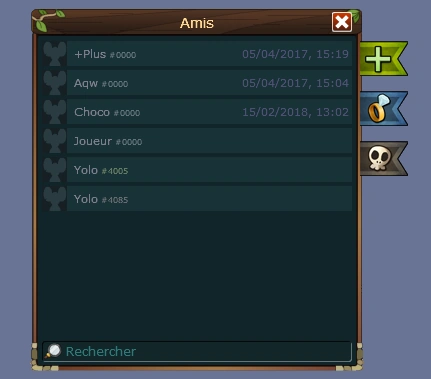
The friend list is a window which can be accessed by clicking the heart icon on bottom-left corner of the game. It shows the status, game and room of everyone you added as a friend and they added you back.
To add a friend to your friend list, there are three ways:
- Type "/friend [nickname]" in the chat box.
- Click the nickname of a mouse (via chat box or scoreboard) and click "Add to your friendlist".
- Click
 , then
  , then type the nickname.

To remove a friend from your friend list, click their name on the friend list and click "Remove from your friendlist".
Functions
- Adding someone to your friend list allows you to keep track of their online status and avatar.
- If that person adds you back to their friend list, you can also keep track of the room they are in, last time they logged in (if they are offline), and current game and server (if they are online).
- When your friend logs on and off, you will be notified via chat.
- The green arrow will take you to the room that your friend is in. This button only shows up if the other person has added you to their friend list as well.
Color

A friend in-game.
In addition, if your friends are in the same room as you, their name and title appear in a green or blue color (not to be confused with the bright green shown in soulmate levels) rather than the usual gray. (Note: You may have to open and close your friend list and wait for the next map to play for this to happen.)
However, some modules might overlay this nickname color, so your friends' name might be not colored in that room. This overlay only updates per map, though. So their name will stop being green in the next map after you entered the room.
Buttons
In the friend list box, the following buttons will be on the right side:


Notes

Soulmate banner
- You can only have 500 friends.
- Friends are sorted alphabetically.
- Even if you don't add them, other people can still know when you are connected by having you in their own friend list, and may whisper you. However, they will not know what room you are currently in.
- If you married someone, that person will stay on top of the friend list, even when offline. When you divorce, you both remain friends.
- Friend list are shared with all Atelier 801 games using the community platform.
History
- The friend list was added to Transformice on 13 June 2010 (V0.22), the green username color on 30 June 2010 (V0.32), and the last-login tracker and having to be mutually added to see what room your friend is in on 1 September 2010 (V0.72). Before 1 September 2010 (V0.72), you could see where someone was without the person adding you back.
- If a player hasn't logged in since the last-login tracker was added, their last login won't be shown.
- On 23 January 2011 (V0.135), the limit was increased to 150 friends. It was increased to 200 on 16 June 2011 (V0.161). It was increased to 500 with the new community platform release on 12 September 2013, along with a redesign of the friend list.[1]
- On 17 February 2015 (V1.225), the friend list and tribe were moved from the menu to the bottom left of the chat.
- From 9 February 2018 (V1.438), if you friend someone you've ignored, they will automatically be removed from your blacklist. If you ignore someone in your friend list, they will be removed from your friend list and added to your blacklist.
- On 16 February 2018 (V1.440), a search field was added to the friend list and blacklist.
- From 10 March 2022 (V1.690), the names of friends are displayed in blue in the chat and in game.
- From 16 June 2022 (V1.707), you can now open the profile of your disconnected friends in your friend list.
Gallery


